
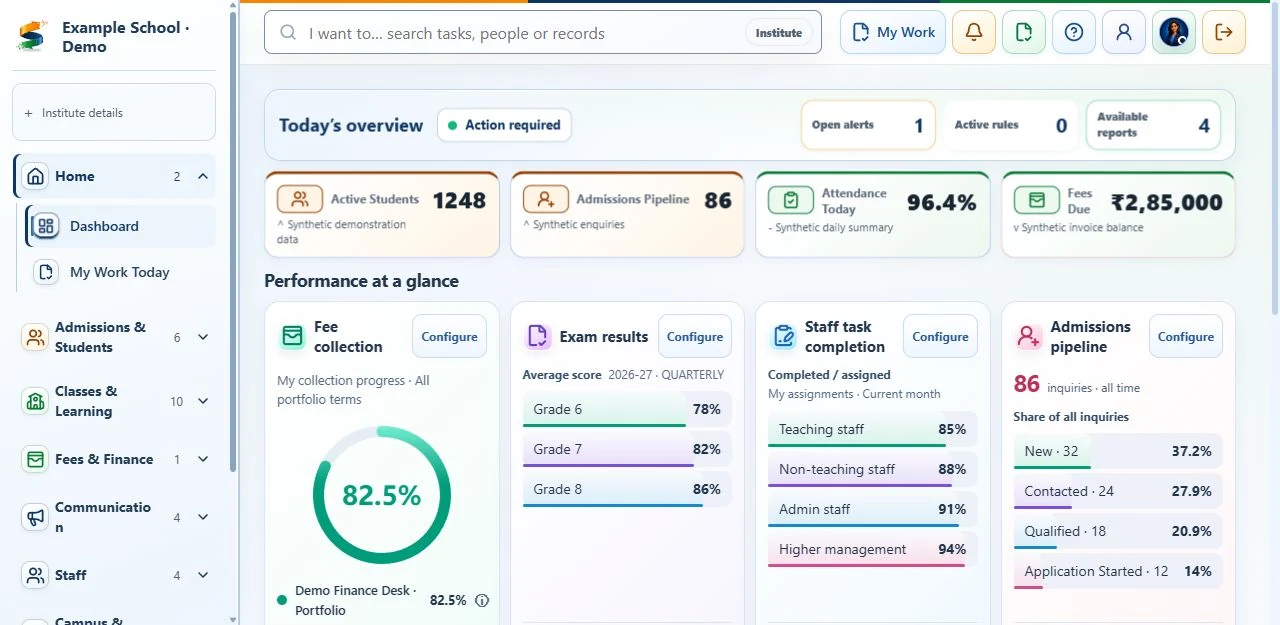
Begin with the school day you want to improve.
Before viewing a demo, identify three results that matter. A private school may need faster fee follow-up. An inclusive school may need assignments with different response options and coordinated student support. A coaching institute may focus on converting enquiries into admissions and sending course-specific updates. Clear priorities keep the evaluation focused on real work.
Operational clarity
Can leaders see what needs attention today without collecting updates from multiple teams?
Tasks completed properly
Does each process have a responsible staff member, required approvals, a record of actions taken and a clear completed status?
Family trust
Can parents and students receive accurate, timely information without exposing unrelated records?
Staff adoption
Can a new user understand the next action without memorising the entire system?
Ask vendors to demonstrate complete workflows.
A screen alone does not show a complete admission or fee process. Use a new sample record to test each process from start to finish, including corrections, approvals and what happens when something goes wrong. The checklist below gives examples to test.
Core workflows worth testing
- Admissions: inquiry and follow-up through verification, assessment or waiver, offer, enrolment and student-record creation; include rollback and duplicate prevention.
- Student lifecycle changes with approvals, history and archive controls.
- Attendance capture, correction, locking, notification and reporting.
- Fees: invoice, collection, adjustment, reversal, refund and reconciliation evidence.
- Announcements, circulars and targeted communication with consent controls.
- Assignments, study material and student submissions across supported media.
Check who can access and change school records.
Staff must not gain access to another school's data simply because they know a link or can open a menu. Ask how staff permissions are approved, changed and removed, including for people with more than one role. For sensitive changes, keep who acted, when, why, and the record's values before and after the change.
- Ask for tests showing that unauthorised access is blocked in system connections, downloads, search, files, reports and automated tasks.
- Review passwords, sign-in sessions, account locks and administrator-account recovery.
- Check who handles backups, restoring data, retention, deletion and security incidents.
- Ensure public forms collect only necessary data and notify the staff responsible for responding.
Measure implementation and support, not only software.
ERP value depends on consistent staff use. Assign people to prepare records, set up the software, approve staff access, train users, check the results and support the launch. Agree a written support process that records issue priority, the person responsible and progress towards resolution—not an informal contact with one person.
Questions for the implementation team
- What must the school prepare before configuration begins?
- Which workflows are included in acceptance testing?
- How are administrators, teachers and finance users trained differently?
- What evidence confirms the school is ready to activate each module?
- What support channel and response expectations apply after go-live?
Compare total operating cost over three years.
A low subscription can become expensive when migration, integrations, training, support or manual work sit outside the proposal. Compare the same scope across vendors and document assumptions. Our School ERP Pricing & Total Cost Guide provides a worksheet for evaluating these costs without relying on a single headline number.
Use the same scorecard for every supplier.
Bring the ERP selection scorecard into your next vendor demonstration. Agree priorities before the meeting, score what is actually shown, and name the person responsible for following up each unresolved requirement. This framework is published by BharatCampus ONE; apply the same questions to BCO and every other supplier you evaluate.
The linked worksheet is the current scoring reference: eight suggested criteria totalling 100 points, a zero-to-three scale based on what was demonstrated, and separate requirements every supplier must pass. Adapt the weights before demonstrations, use one version for every supplier and keep the records behind each rating. A high total must not hide a failed requirement for staff access, academic rules or ownership of your data.
Introduce the software in stages, with checks before launch.
Start with reliable sign-in, school setup, shared reference records and staff permissions. Introduce one or two priority processes, check them with the staff who will use them, then expand. Allow the implementation plan to pause if responsibilities, training or support are not ready.
- Days 1-30: discovery, data readiness, roles, master data and workflow acceptance criteria.
- Days 31-60: controlled pilot, corrections, approvals, reports and user training.
- Days 61-90: go-live, adoption monitoring, support review and next-module decision.
Five questions to agree before signing.
These short answers describe the published school baseline, not a promise that every institution has identical scope. Record exceptions and acceptance criteria in the proposed order.
What data migration is included?
Foundation rollout includes one agreed current-state import cycle. Historic cleanup, repeated imports and non-standard configuration are separately scoped. Agree the source, owner, quality checks and acceptance sample before import. Rollout scope · Data-readiness gates
What training and support will our staff receive?
Foundation rollout lists two remote administrator training sessions and standard remote support. Managed Success adds expanded remote training, quarterly reviews and four remote clinics a year. Confirm roles, support hours and escalation in the order. Compare plans
Are integrations, messaging and devices included?
No blanket inclusion should be assumed. Custom integrations, provider usage, payment gateway setup and smart-campus devices have separate published cost bases or itemised quotes. Live enablement depends on provider and security review. Check separate costs · Review provider boundaries
What if our school needs a different process?
Ask for a demonstration with fictional sample records. Record whether the process is demonstrated, needs setup, requires separately agreed work or is unavailable. Put any required change, responsible team, price and approval test in the order before commitment. Use the selection scorecard · Try an action in the sample tour
How do we export data and exit?
Customer-data export, retention and deletion follow the applicable agreement, documented customer instructions and law; suspension alone does not authorise deletion. Agree export format, assistance, timing and any fees before signing. Read the exit baseline · Privacy notice